
Cleaning Tips · 10 min read
How to Clean Flat Screen TV: A Safe and Easy Step-by-Step Guide
How to dust a flat-screen TV and remove fingerprints while protecting its coating and electrical components.
How to Clean a Flat Screen TV Without Streaks or Damage
A flat-screen TV has a delicate coating. Start by checking the manufacturer’s instructions for your model. Dust, fingerprints, and smudges are inevitable, but the wrong cloth or cleaner risks cloudy patches or rainbow patterns that no repair can fix.
Our tips keep the process simple and safe. You only need a few basic supplies and a gentle approach to protect your screen while restoring clarity. If you want to eliminate streaks when wiping your screen, make sure that you have the proper cleaning supplies on hand, plus know some things not to do, before getting started. It will be easier for you if you turn off the television, wait until it cools down, then wipe away dirt and other marks.
Before You Begin: Materials and Screen Safety Basics
Make sure that before you begin to wipe down your television screen, you have all the right tools at hand, and know how to make this task safe and successful. A clean microfiber cloth should be used when wiping down the screen; paper towels and old rags can leave lint or micro-scratches on delicate screen coatings. Check the TV manual before using any liquid. If it allows distilled water, lightly dampen the cloth; keep liquid off the panel edges. And keep moisture away from ports and edges to protect internal components.
Unplug the TV and let it cool completely before you begin; this makes dust and fingerprints easier to see and reduces the risk of damage. We recommend using a dedicated microfiber cloth kept clean and free of grit, as some manufacturers caution against tumble drying to prevent fraying.
Start with a clean, dry microfiber cloth. Use liquid only if permitted by the manufacturer, and never spray the screen.
Step 1: Power Down and Cool the Screen
Before you clean a flat screen TV, power it down completely so dust and fingerprints stand out against the dark display.
Allow the panel to cool before wiping off any fingerprints. A warm screen must never be used as this may result in damage if touched. Please leave several minutes after switching your device off until it has cooled enough to handle. If done correctly, this will reduce chances of any streaking or smudging when wiping the panel.
After turning it off and letting it get cold, go ahead and wipe any remaining dust away using your microfiber cloth.
Step 2: Dry Dust with a Microfiber Cloth
With your LCD turned off and cooled down, dirt and fingerprints will be more visible on the screen. That’s why you should take this time to remove loose particles before any liquid touches the surface.
We recommend using a clean, dry microfiber cloth designed for electronics. Wipe straight up and down over the screen starting from the middle and apply only as much force needed to lift dust off the screen but avoid pushing any dirt deeper under your display’s edge or leaving behind unwanted marks. Do NOT use circular motions because this could push dirt toward the sides of your display's edge or create unwanted streaky patterns. If your cloth comes away clean after wiping the screen, you're good.
Get rid of paper towels and old rags if you’re using them instead of proper cloths since they can either leave lint on things or even create microscopic scratches in the coating on the screen when you’re wiping off stuff from it. The microfiber cloth should have edges that don’t fray and should be large enough to cover most of your device’s surface at once.
Step 3: Mix a Screen-Safe Cleaning Solution
With all of the gunk off the screen, the next thing you need to do is make some kind of cleaning agent that will be able to clean without damaging whatever is on your screen. The problem with Windex (or any other window cleaner containing ammonia or alcohol (opens in a new tab)) is that these things remove the anti-glare coating from your LCD panel as well as its oleophobic layer, leaving the screen looking permanently cloudy and discolored.
Start with a clean, dry microfiber cloth. If the manual allows it, lightly dampen the cloth with distilled water for stubborn marks. Use any other product only if the manufacturer approves it for that model.
The cloth should be barely damp. Apply liquid to the cloth, away from the screen.
Step 4: Damp-Wipe Without Spraying the Screen
Your cleaning solution isn't actually done until it hits the cloth, it should never touch the screen on its own. Liquid spray might easily leak in at the sides, into ports or anywhere else it finds weakness. That can damage internal components or degrade delicate coatings over time.
Wet your clean microfiber cloth with the solution, then wring it out well till just damp. With the device off and cool enough to touch, use soft up-and-down movements starting at the middle then moving towards the edges while wiping. Avoid making circular motions as this might spread dirt around. Using these techniques will help to remove any smudges without leaving streaks behind on your screen or harming its protective layers.
Avoid pressing too firmly, especially on pressure-sensitive touchscreens like OLED, since excessive force can wear down coatings or affect color accuracy. If the sticky marks don't come off, stop wetting your cloth. Just wait until your device is dry for a while, then try again.
Step 5: Remove Stubby Fingerprints Without Streaks
Learning how to clean a flat screen TV without streaks requires knowing the right way to treat tough areas like fingerprints. After cleaning the larger area, make a few light, targeted passes over each stain.
Take a microfiber cloth, and put some gentle pressure as you move back and forth across your panel. Do it in little sections, and make sure that you don’t re-mix any oil into the panel, just take what’s there up off the surface. If you see residue that feels oily, re-dampen a fresh corner of the cloth with distilled water if your manual permits it, then blot—never spray liquid directly on the panel. Flip or refold the cloth frequently to expose a clean surface, which prevents streaks from re-deposited oils.
They usually appear when the cloth is oversaturated or when oils are dragged across the screen. Keeping pressure light protects the fragile anti-glare and oleophobic coatings, which can cloud or develop rainbow patterns if damaged, issues that cannot be repaired.
Step 6: Dry and Buff to a Streak-Free Finish
Once fingerprints and smudges are gone, perform a final dry pass. Use the cleanest part of your microfiber cloth and make smooth, light passes while applying gentle pressure. This will help remove the last bit of moisture and dust without scratching your panel.
Turn over the cloth periodically when streaking or lint appears as to allow another clean section of fabric to wipe away dust and smears without having re-applying it. After you've cleaned each and every piece, give the screen a good while to completely dry out for around five mins prior to turning the display back on. A nice quality, lint resistant material will help you end up with cleaner outcomes.
Now that you've cleaned your screen and it shines, keep this streak-free shine as part of daily care.
Step 7: Build a Simple Screen Maintenance Routine
If you're happy with streak free results when cleaning your screen, then try just dusting your display lightly each day rather than spraying water on it and wiping away the grime. The latter may help in the short term but can, over time, wear down protective coatings on the screen if used repeatedly.
Take your microfiber cloth and fold it in half four times, leaving you with eight new surfaces exposed. Fold that cloth again and use these sides to wipe the screen from top to bottom, keeping track of which sections have already been cleaned by changing the orientation of the cloth whenever necessary in order to avoid rubbing dust back onto the screen. Clean the screen only if there’s smudges or fingerprints present, not because you feel like doing so; cleaning too much might cause irreversible damages to some of its protective layers such as the anti-glare layer or oleophobic layer.
Set your screen’s brightness at the lowest comfortable level to extend the lifespan of its backlight. And follow your manufacturer’s care guidelines for panel-specific needs like OLED sensitivity. These small habits protect your screen’s coatings and prevent cloudiness or rainbow patterns, which cannot be repaired once they appear.
Fixing Streaks, Residue, and Accidental Cleaner Spills
We've all been there, before we know what has happened, there's a streaky mess from our wipes or a dirty patch on our window due to a glass cleaner being moved too much. But don't worry. Most mishaps are fixable if you act fast.
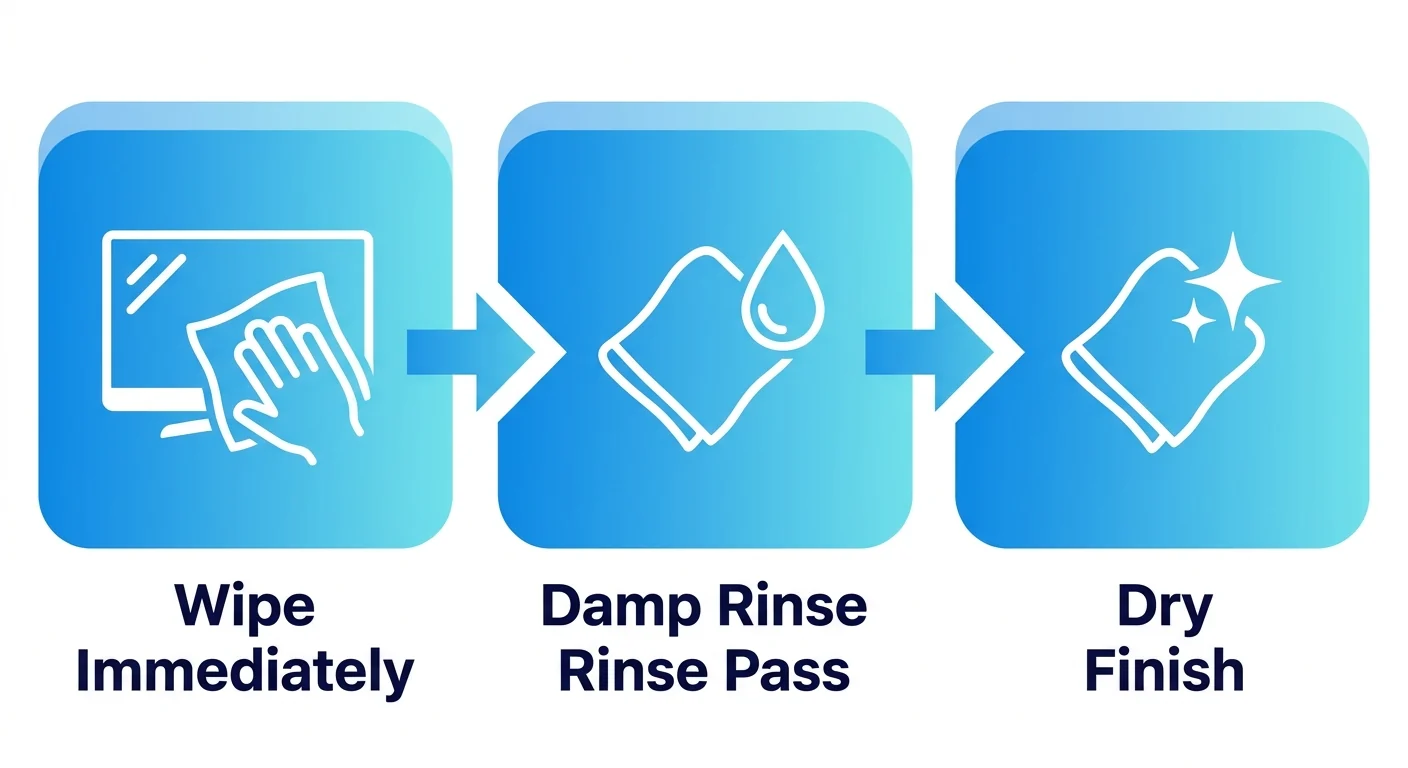
- If cleaner touches the screen Wipe it off immediately with a dry microfiber cloth to soak up excess liquid. Follow with a second cloth lightly dampened with distilled water, wiping gently in straight passes. Avoid pressing hard or letting moisture seep into the edges.
- For stubborn streaks or residue Check the manual for an approved way to remove residue. If it permits distilled water, lightly dampen a clean cloth and gently wipe the panel. Let it dry fully before reconnecting power.
- Check for damage If the screen looks cloudy or shows rainbow-like patterns after cleaning, stop cleaning and contact the manufacturer. A persistent mark can indicate coating damage.
After those steps, a streak-free screen is usually within reach. If there isn't any damage, then your TV should be fine; next time, be gentle and avoid harsh cleaning.
Enjoy a Streak-Free Screen and a Cleaner Home
Knowing how to clean a flat screen TV properly (opens in a new tab) leaves your screen gleaming and your living space fresher. With the right tools and a top-to-bottom routine, streaks and dust stay away for good.
You can keep things simple if you just establish a couple of good habits. Doing a 15-minute reset each day (cleaning the living room and wiping surfaces) will help prevent dust from settling back on your television and nearby furniture. Our team uses microfiber cloths that are clean and streak-free to protect your electronics and maintain light cleaning between deep cleans. This makes it easier to keep the whole home tidy.
If you want your house to stay tidy all the time give us a call at the number on our contact page for a no-cost, no-obligation quote right now! Pricing and duration will vary based on how large your house is and its condition. We'll talk about what needs cleaning before coming up with our offer.
Keep Your Home Spotless Today
Now that you know how to clean a flat screen TV safely, from the dry microfiber dusting pass to the streak-free buff, you can keep your display looking its best without damaging its delicate coatings. The same gentle, top-to-bottom approach works throughout your home, helping dust and smudges stay under control room by room. If routine upkeep ever becomes more than you have time for, Art's Cleaning Services can help keep your home in Irvine, CA fresh and clean. You can find our Irvine contact details on our contact page. A free, no-obligation estimate is based on your home's size, condition, and the service you select, so you always know the scope before work begins. Reach out today to see how easy a cleaner home can be.
Resources
Sources
- Clean Monitor and TV Screens Safely Today (opens in a new tab)
- Discover Screen Cleaning and Maintenance Guide Now (opens in a new tab)
- Find Out If Windex Works on Flat Screens (opens in a new tab)
- Get the Best Microfiber Cleaning Cloths Tested (opens in a new tab)
Get a price for your home
Want this handled instead of scheduled?
Tell us the home size and the service you want. We reply as soon as possible during business hours with an upfront price — no walkthrough required for most homes.
Written by Art
Founder of Art's Cleaning Services, 5,000+ homes cleaned across Orange County since 2021.